Six Small Experiments with GPT-6 Astra
I have been exploring what GPT-6 Astra can build across different kinds of projects. Six of those experiments ended up as a puzzle workshop, a typography sketchpad, a rhythm instrument, a generative-art tool, a puppet stage and an island energy playground.
The projects are different, but a common idea runs through them: keep the thing you are changing and the effect of that change visible together. A timeline sits beside a performance. A set of connected modules sits beside the artwork it produces. A change to storage shows up across a day's energy demand.
These are small builds with specific boundaries. The images below are the published video previews from my posts, each linked to its demo. The useful part is what each interface lets you try.
Make the rules visible
In Paper Worlds, rotating paper tiles extends a connected trail from a traveler's starting point towards home. The route becomes visible as you discover it.
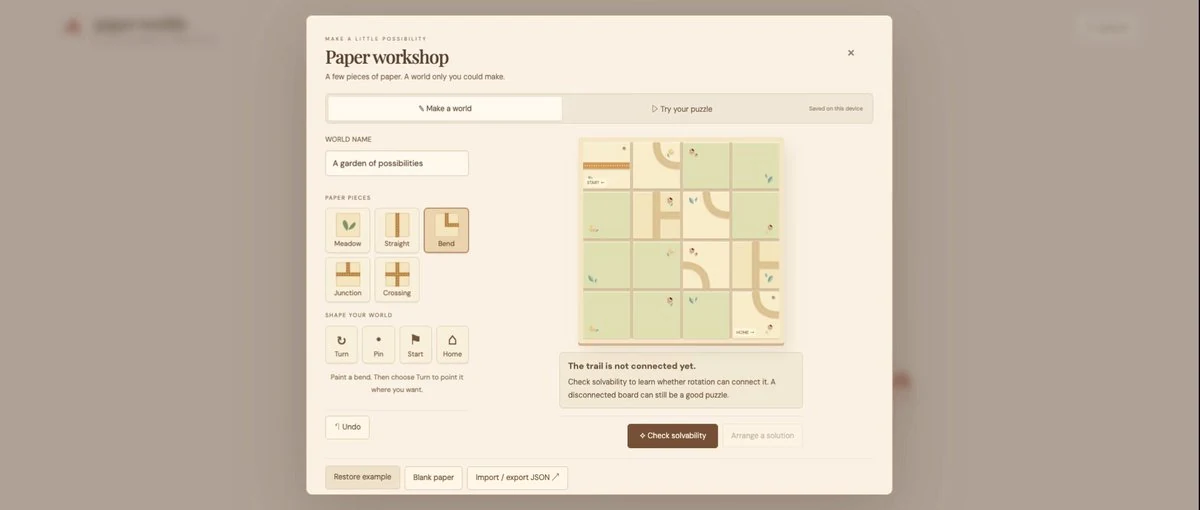
The workshop lets you change the problem too. Changing a tile or pinning it in place changes which routes are possible. The solver checks whether it can find a way through those restrictions. A board can look almost finished and still be impossible to solve.
There are five handmade puzzles, along with custom boards that can be played separately and exported. Making a puzzle becomes another way to explore its rules.
Gridcraft deals with a different kind of constraint. An island can generate enough energy over a whole day and still run short in the evening. Solar and wind feed the island, batteries carry energy between hours, and the timeline shows where demand goes unmet.
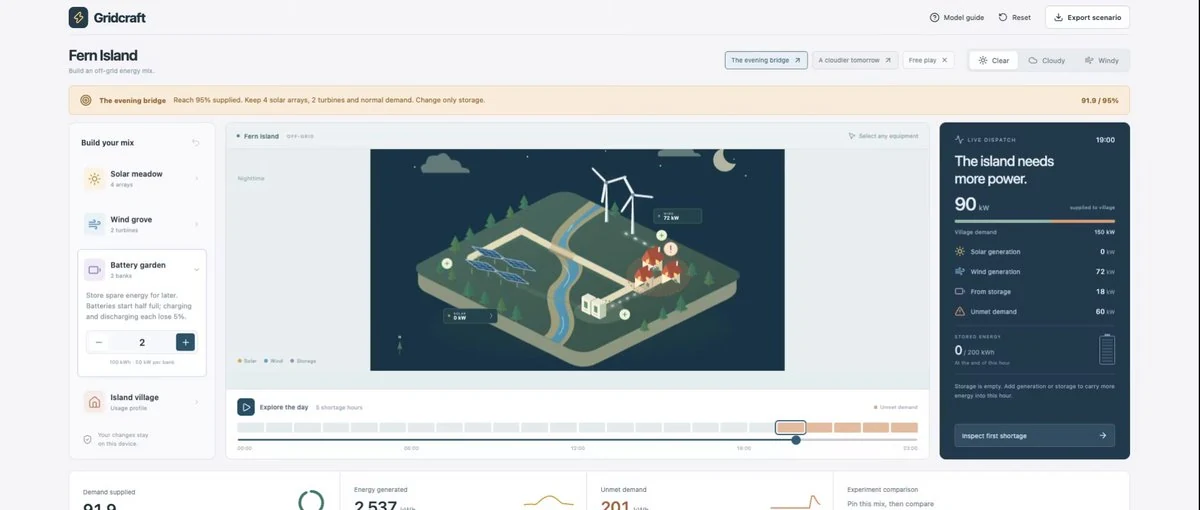
In the sample scenario, adding a third battery bank raises demand supplied from 91.9% to 95.7%. There is still 106 kWh of unmet demand. The comparison shows both the improvement and the remaining shortage.
This is an educational playground for generation, storage and demand. It models one illustrative day, with batteries starting half full. Those percentages describe that scenario, rather than a general result about how much storage an island needs.
Work with timing directly
A 12-step rhythm and a 16-step rhythm meet again after 48 steps. That relationship was the starting point for Orbit Studio.
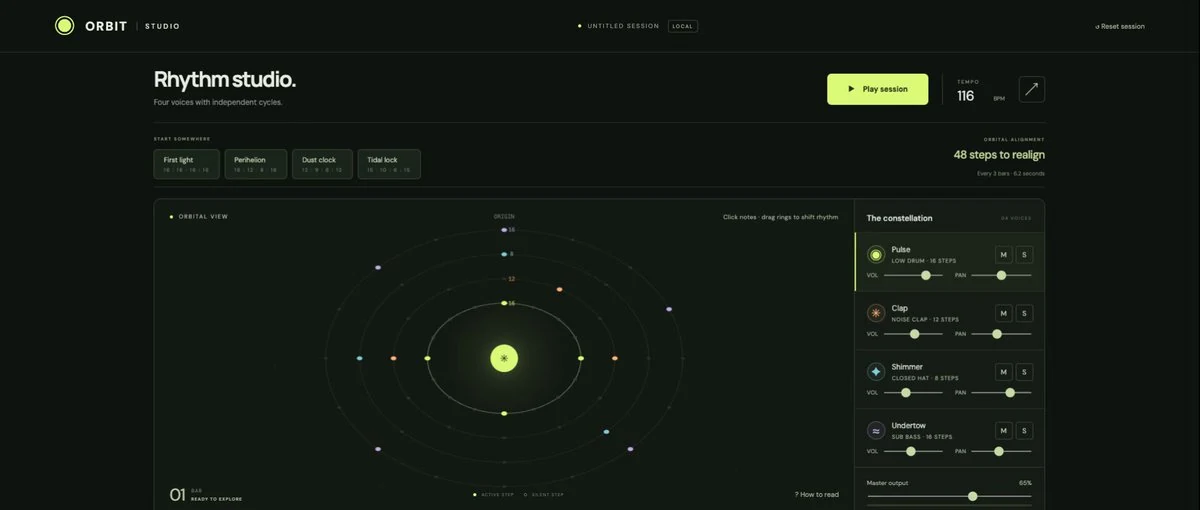
Four synthesized voices run on separate orbital rings. Their loop lengths change how the parts meet, while the shared view shows the alignment over time. Editing one hit or shifting a pattern changes that relationship without requiring every other loop to change.
The arrangements stay editable and can be rendered to WAV. Export has a two-minute limit, so a full alignment cycle is available only when it fits within that duration.
Tiny Theater uses a stage and timeline for short puppet performances. In the sample scene, a cloud drifts across the stage and the Moon changes to an “Oh!” expression at six seconds. A few recorded poses establish the movement and the timing of the reaction; the app fills in movement between positions.
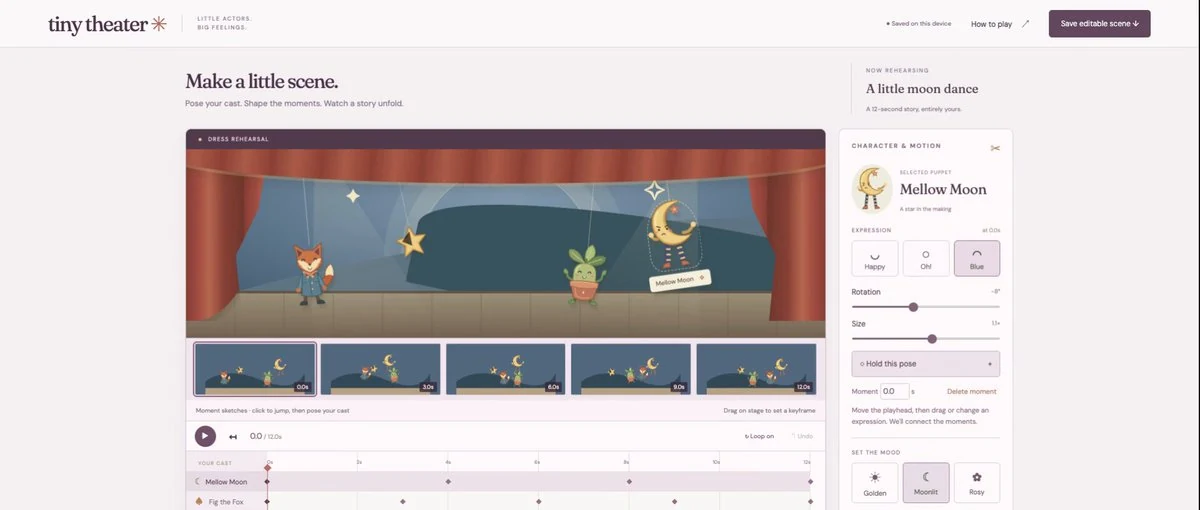
Moving that reaction along the timeline changes the little performance in front of you. This version plays performances in the browser. It does not export rendered video.
Both projects give timing a visible form. One uses repeating parts that meet in different combinations. The other uses a few chosen moments to shape a short scene.
Take the result beyond the canvas
With Inkshift, I wanted to explore typography through movement. A phrase can scatter, gather around the pointer or move into orbit. Freezing the motion gives you an arrangement to refine, with control over each letter's position, size and angle.
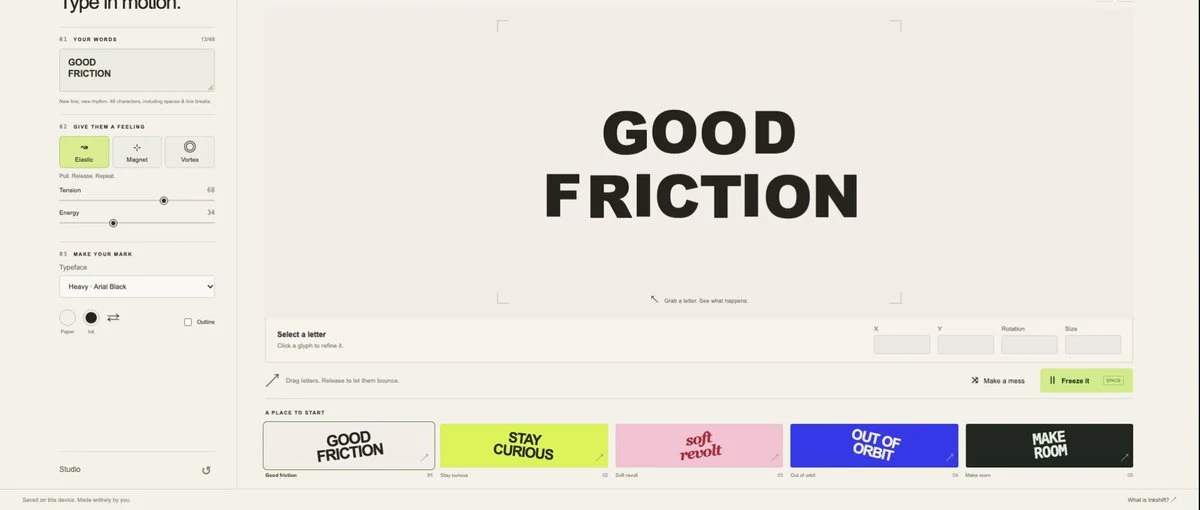
The composition exports as an editable SVG. Letters remain text, which makes further editing possible but also means the same fonts are needed for a close match elsewhere. A moving experiment becomes a starting point for a composition you can keep working on.
Patchbay keeps generative artwork beside the controls that shape it. Five connected modules turn a field of points into a composition. In Orbital Silk, increasing noise strength makes the smooth orbital form more irregular. The module preview and the main canvas respond together.
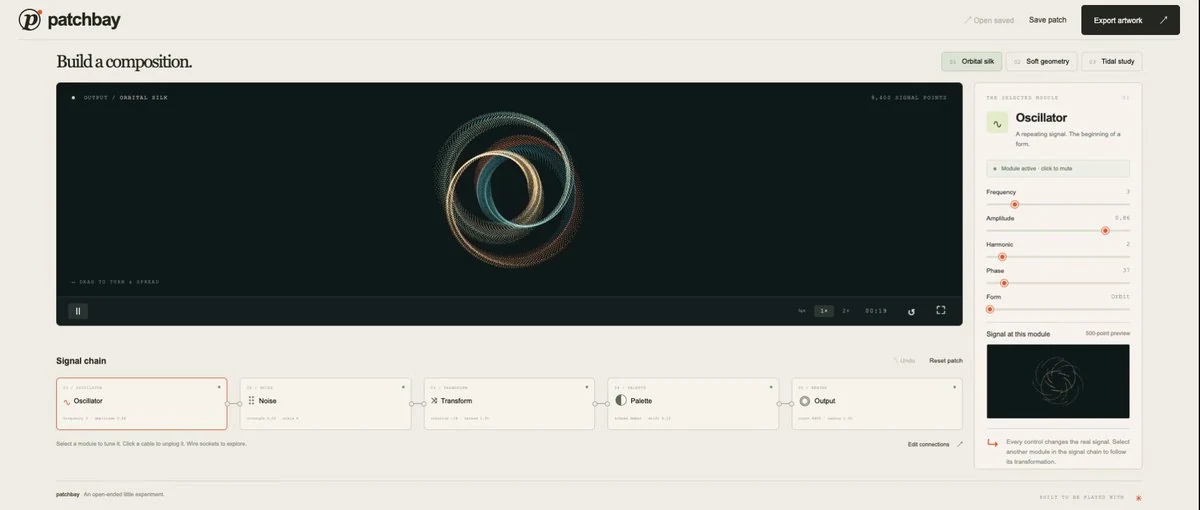
Rerouting a connection changes how the composition is formed. That gives you another way to explore it alongside the sliders. A paused frame can be exported as a 2,400-pixel-wide PNG, preserving the preview's proportions.
The export choices are part of each experiment. Inkshift carries editable text into another tool. Patchbay preserves a particular frame as an image. Tiny Theater currently keeps the performance inside the app. They offer different ways to continue after the first result.
What connects the six
Each build makes a relationship easier to inspect: a tile and its possible paths, generation and demand over time, loop lengths and their alignment, a pose and its place in a performance, or a control and the artwork it changes.
That is the thread through these experiments. Keep the controls close to the result, make the important constraints visible, and give the user room to change what happens next.